Troubleshooting
Start by checking the target avatar in the header and the connection in the bottom bar. Activity separates catalog, preview, and connection status.
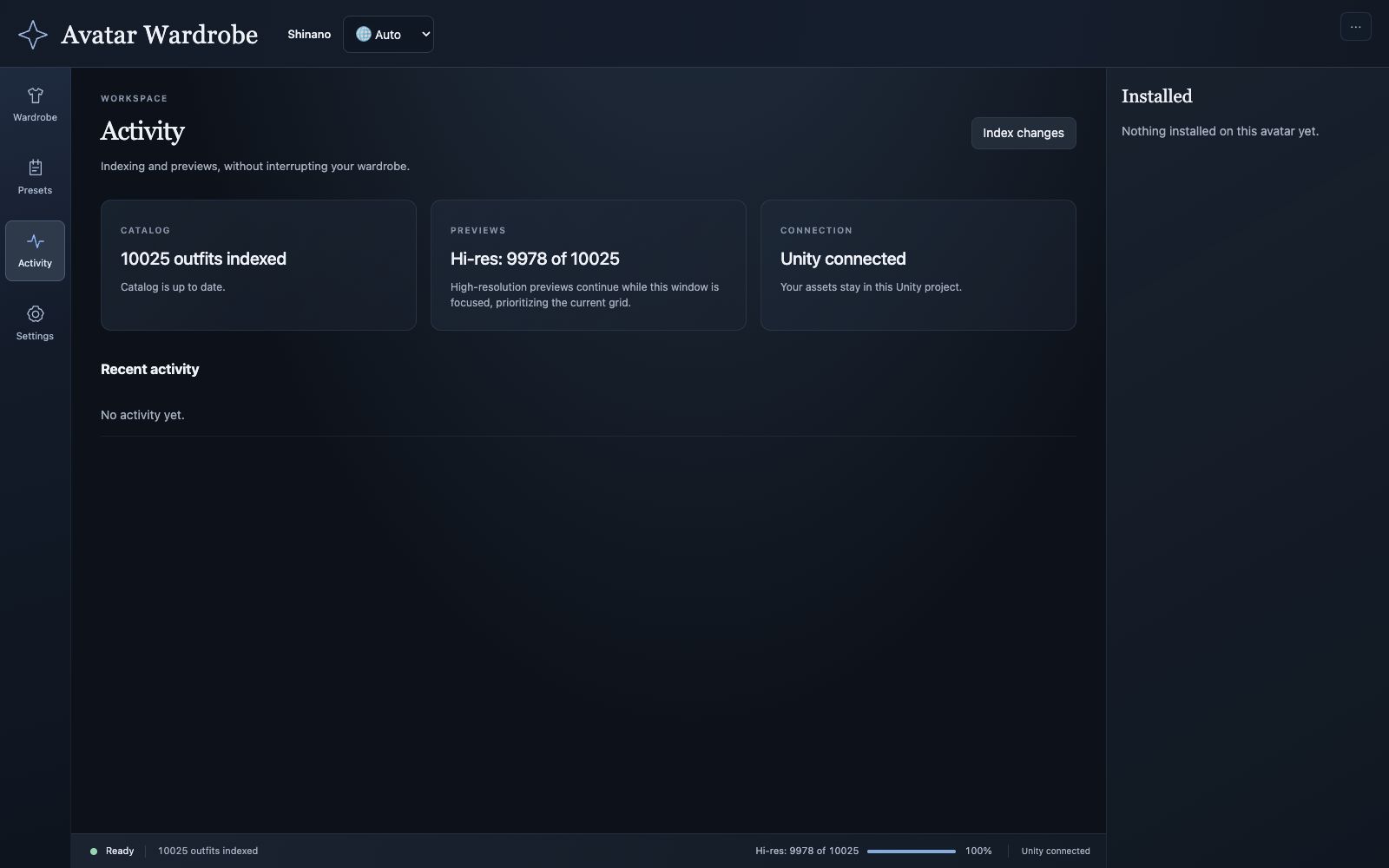
A catalog can be up to date while preview generation is still running.
The browser does not connect
Keep Unity open with the correct project loaded. Open Tools → Avatar Wardrobe and use the browser address it displays. The port can differ from the example 8909.
Wait for compilation or a domain reload to finish. Reopen the browser from the launcher if the server was stopped. Check the Unity Console for errors if the connection does not recover.
Add to preset is unavailable
Select the avatar's scene instance in Unity and confirm it has a VRChat Avatar Descriptor. A prefab asset selected in the Project window is not an editable scene target.
Wait for variant and preset information to load and for any current operation to finish. Check the item's compatibility. Advanced install is a manual override, not an automatic fitting fix.
An imported outfit is missing
- Clear the search and Creator filter.
- Switch from Compatible to All outfits.
- Check the Type filter, including Gimmicks or Unknown where appropriate.
- Turn off Hide no-preview.
- Confirm the asset was imported as a prefab, with its
.metafile intact. - Use Activity → Index changes. If necessary, use Settings → Reindex project and wait for completion.
An uncertain or model-only prefab may remain untested. Inspect it in Unity rather than assuming a missing compatibility label means it cannot work.
A preview is blank or stuck
Bring the browser into focus and allow Unity time to generate previews. Use Retry preview for a failed image when offered. Check Activity and Diagnostics for the preview state and the Unity Console for renderer or shader errors.
Preview files are cached separately from the source asset. A failed preview does not delete the outfit.
My presets or upload controls are missing
Verify the avatar selected in Unity. Presets belong to the parent avatar, so changing the target changes the list.
Use Refresh in Presets. Existing scene outfits are discovered under the configured outfits folder, normally Outfits. If you only see Common Preset, check the scene hierarchy and configured folder.
If preset items are visible but upload fields and Defaults are missing, turn Settings → Upload each preset as a separate avatar on. Turning it off hides those controls while preserving their saved values.
Menu options do not behave as expected
Check whether you intended an exclusive Menu Group or independent Generate toggles controls. Verify the members are assigned in the correct named preset or Common Preset.
Group-managed objects may all be enabled in the edit-time scene; their generated conditions control visibility at runtime. Test the built menu. Use Maintenance → Regenerate toggles when existing generated part menus need rebuilding, and inspect competing custom menus in Unity if behavior still conflicts.
An upload failed or its progress disappeared
Read the upload result in Presets → Defaults → Upload log and the Unity Console. Verify the SDK login, platform build support, Avatar ID, and any SDK validation errors.
A Unity domain reload can orphan the browser's progress poll. Check whether the engine is still working before retrying. Preset batches cannot cancel mid-flight; wait for completion and retry only the intended presets after addressing the failure.
A blendshape section will not load
Close and reopen the foldout to retry. Check that the avatar skin renderer and its blendshapes are available in Unity. FaceEmo's absence from the browser is expected in the current interface; saved assignments are retained.
Report a reproducible problem
Include the tool and Unity versions, the action you took, what you expected, and the relevant error text. A screenshot of the affected controls helps. For missing assets, include the prefab's project-relative path and active filters. Remove account-specific IDs and unrelated upload history before posting a public issue.